
Digital Membership Cards
Your Membership. Now Digital.
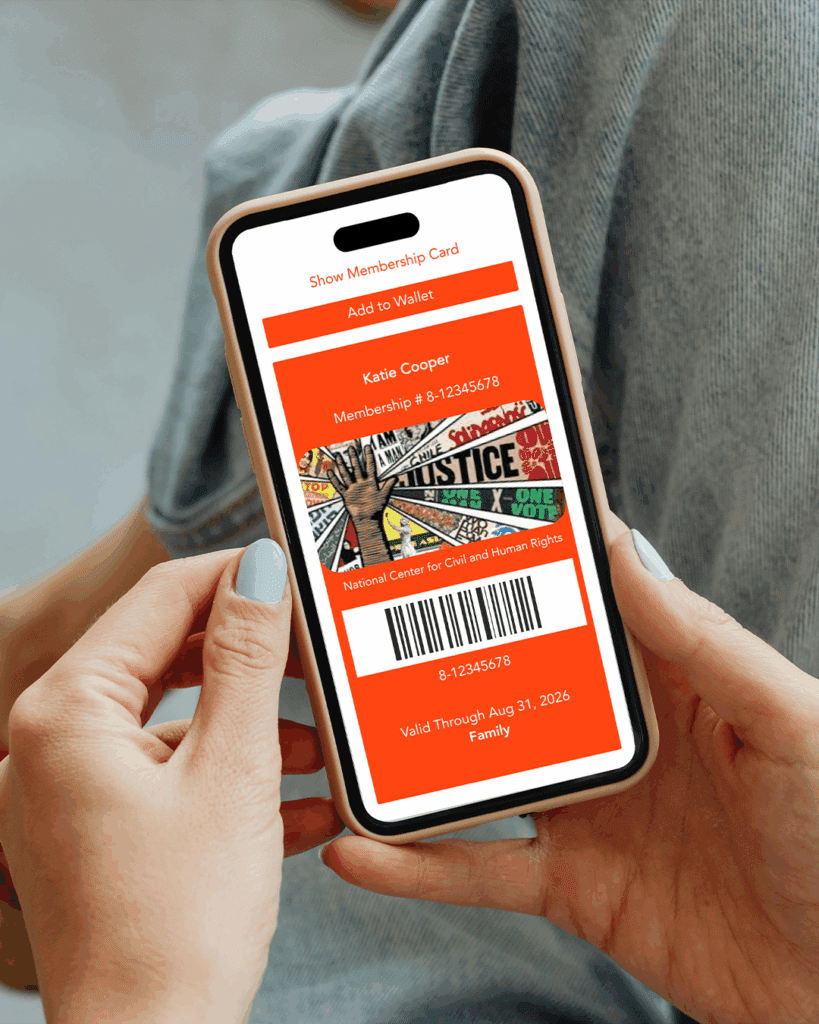
Your National Center for Civil and Human Rights membership is now digital—making it easier than ever to stay connected to our mission. You can download your digital membership card to your smartphone wallet or access it through a mobile app.
Going digital means fewer plastic cards and a more sustainable way to keep your membership at your fingertips. Your digital card, along with a photo ID, is all you’ll need to visit the Center, attend member events, and use any included guest or admission benefits.
Already a member?
Follow the instructions below to download your digital card.
Questions? Visit our FAQ or email [email protected].
How to Access Your Digital Membership Card
Follow these five simple steps to get your National Center for Civil and Human Rights membership card on your device:
1. Download the App
Search for “eMembership Card” in your phone’s app store and install it.
2. Enable location access
Open the app and allow location permissions—this helps nearby museums appear first.
3. Select NCCHR
Tap the National Center for Civil and Human Rights logo to begin.
4. Find Your Membership
Tap “Find My Membership Cards” and enter your membership number.
You’ll find this number in your welcome email or on your physical membership card.
5. Download your digital card
Confirm your membership details and select “Download my cards.”
Membership FAQs
What is a digital membership card?
Your National Center for Civil and Human Rights digital membership card is a convenient, eco-friendly way to access your benefits. Instead of a physical card, you’ll receive a digital version that can be saved to your smartphone or accessed via the free eMembership Card app. Once you join or renew, you’ll receive an email within two weeks with instructions to download your digital card.
How do I use my guest passes?
Guest passes are stored in the eMembership Card app.
Tap Membership Benefits > Guest Passes to access them.
If your membership includes other perks (like coupons), you’ll find those under the Coupons section.
I renewed my membership, but my card didn’t update.
Just reopen the eMembership Card app, tap “Find My Membership Cards,” and download your updated card.
Can all named adults on the membership get a digital card?
Absolutely. Each adult listed on your membership can download their own card using your membership number or phone number—plus a valid photo ID when they visit.
How do I use my digital membership card?
Your digital card includes your name, membership level, expiration date, and a barcode. Simply show it—along with a photo ID—at our Guest Services desk or Museum Store to enjoy your benefits.
Do I still need to show my ID?
Yes. Your photo ID ensures that your membership is secure and used only by you or the named adults on your account.
My card info is incorrect. What should I do?
We’re here to help. Email us at [email protected] with the correct info, and we’ll update your card.
I downloaded my card, but now I can’t find it.
Search your device for “eMembership Card.”
For quicker access next time, add your card to your Apple or Google Wallet